Account Deletion Request
At MyJetlag, we deeply value your privacy. If you decide to stop using our application, we provide a transparent, straightforward, and permanent process to delete your account and all associated personal data.
What does deleting your account mean?
By confirming deletion, all of your data will be permanently erased from our production servers immediately. This action is irreversible: you will lose access to your travel itineraries, profiles, connections, and any saved configurations.
How to delete your account in 3 simple steps
You can request your account deletion directly from the application menu autonomously and instantly.
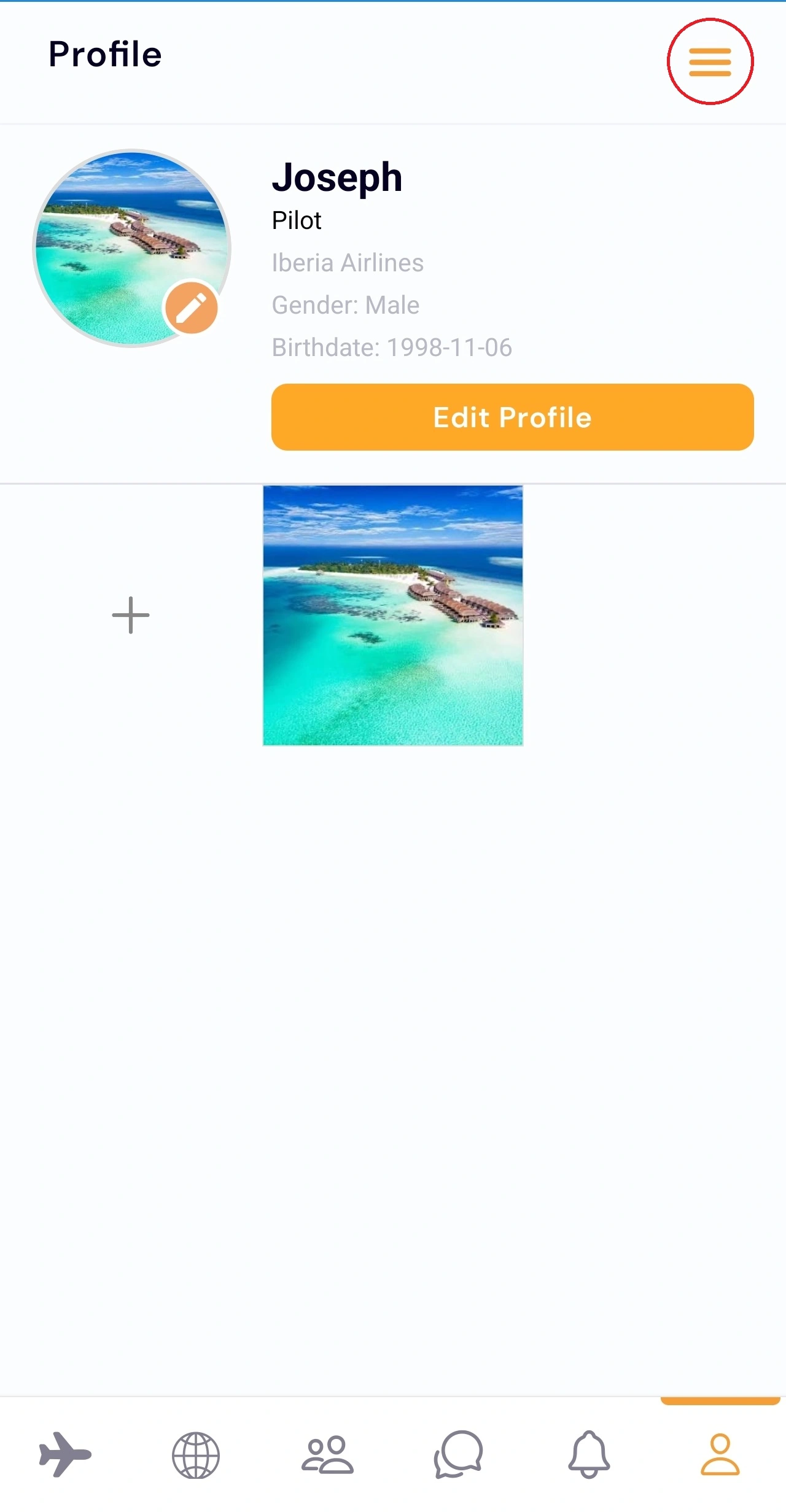
Access Your Profile
Open the MyJetlag app on your device, go to your Profile tab, and select the Settings button or icon in the top corner.
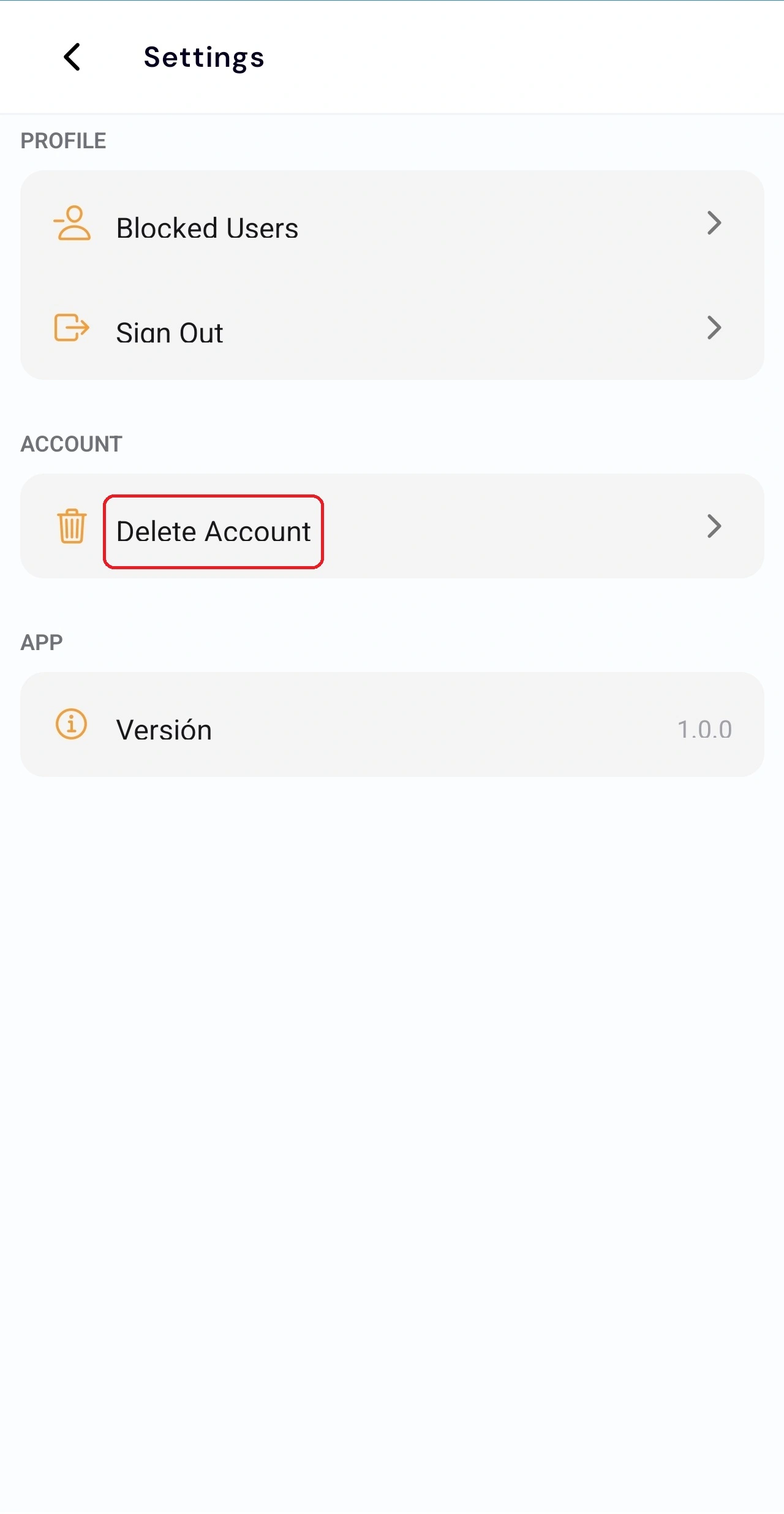
Delete Account
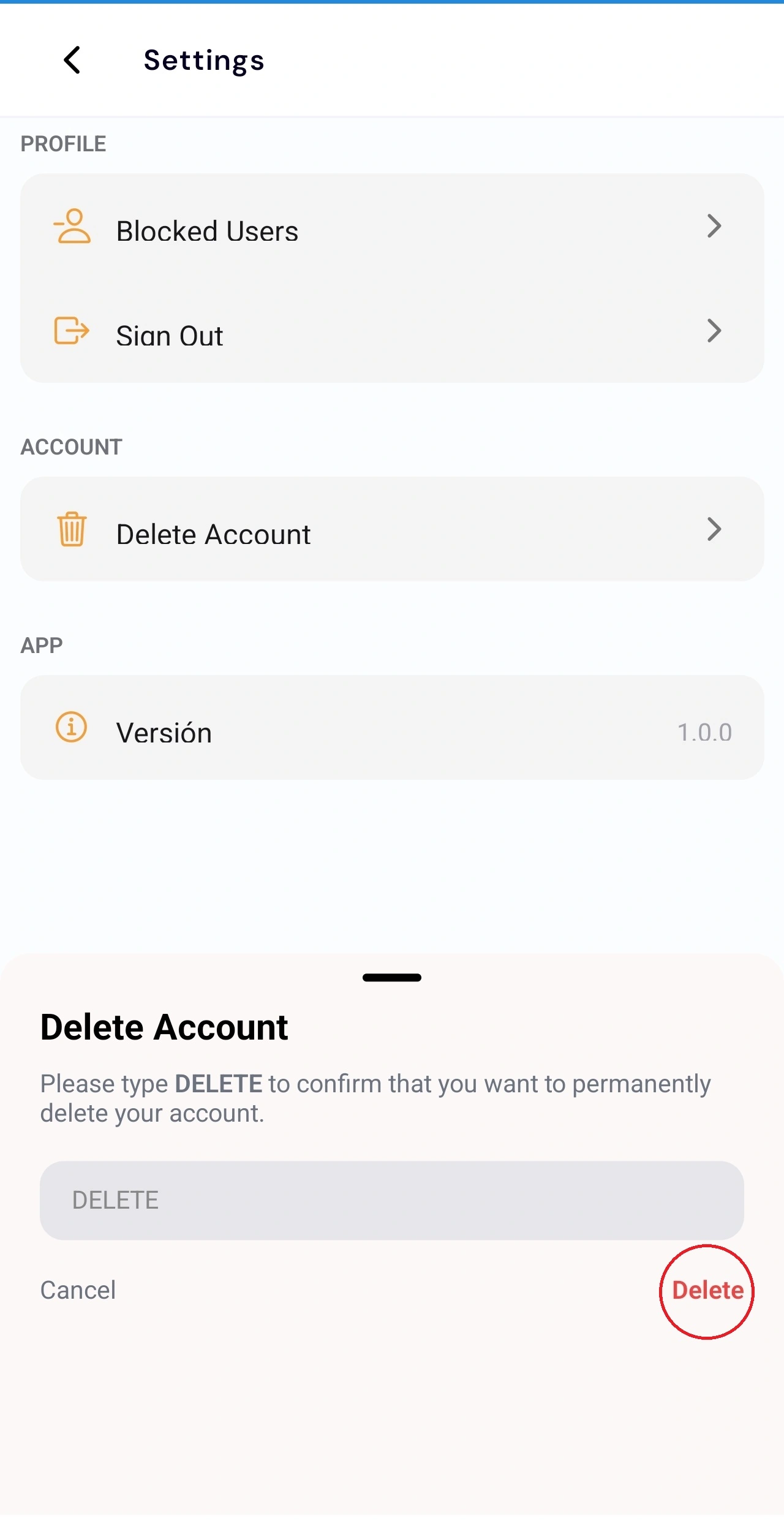
Within your account Settings, scroll down until you find the option labeled "Delete Account". Tap it to start the deletion wizard.
Confirm Deletion
A security confirmation popup will appear. Tap the "Delete" button to finalize. Your session will be closed immediately.
Data that is completely deleted
Once your account deletion request is processed, we permanently delete the following categories of data directly linked to your identity:
- Profile Information: Username, email address, phone number, date of birth, gender, country, photos, profile picture, and encrypted password.
- Plans & Rosters: Flight itineraries, uploaded schedules, time zone offset logs, and calculated jetlag alarms.
- Social & Chat Messaging: Created group chats, accepted friend connections, and the entire history of messages sent in group or individual chats.
- Location & History: Any geolocation data or temporary location permissions stored on the platform's database.
Data that is retained and retention periods
In accordance with legal regulations and technical security, certain non-personal data is retained as follows:
- Backups: Deleted data remains in our encrypted backups for a retention period of 30 days, after which it is completely and automatically purged.
- Anonymous Usage Metrics: We retain indefinitely certain identifiers and aggregated usage telemetry in a strictly anonymous manner (not linked to any individual) to produce analytical reports to optimize the app.
- Legal Audit & Compliance: We only retain transactional logs required in the event of legal investigations, under strict judicial control and in conformity with the General Data Protection Regulation (GDPR).
Can't access the application?
If you have uninstalled the app, do not have access to your device, or are experiencing issues with your login, you can request manual deletion by sending an email directly to our support channel.
* Note: The request must be sent from the email associated with your account to confirm the legitimacy of your identity.